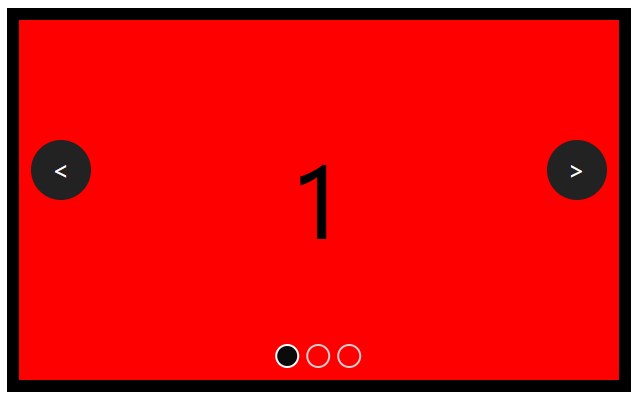
1.index.html
<!DOCTYPE html>
<html>
<head>
<meta charset="UTF-8">
<meta name="viewport" content="width=device-width, initial-scale=1.0">
<title>Document</title>
<style>
*{
margin: 0;
padding: 0;
box-sizing: border-box;
}
.carousel-container{
width: 500px;
height: 300px;
margin: 20px auto;
position: relative;
overflow: hidden;
outline: 10px solid #000;
}
.carousel-list{
width: 100%;
height: 100%;
display: flex;
position: relative;
z-index: -1;
}
.carousel-item{
height: 100%;
flex: 0 0 100%;
width: 100%;
z-index: -1;
display: flex;
justify-content: center;
align-items: center;
font-size: 5em;
}
.carousel-item.item-1{
background: red;
}
.carousel-item.item-2{
background: blue;
}
.carousel-item.item-3{
background: yellow;
}
.carousel-arrow-left{
left: 10px;
}
.carousel-arrow-right{
right: 10px;
}
.carousel-arrow{
position: absolute;
width: 50px;
height: 50px;
border-radius: 50%;
background-color: #222;
color: #fff;
text-align: center;
line-height: 50px;
top: 100px;
font-size: 20px;
}
.indicator{
z-index: 99;
position: absolute;
display: flex;
bottom: 10px;
left:50%;
transform: translateX(-50%);
}
.indicator span.active{
border-color: #fff;
background: #0b0b0b;
}
.indicator span{
width: 20px;
height: 20px;
border-radius: 50%;
border:2px solid #ccc;
margin: 0 3px;
cursor: pointer;
}
</style>
</head>
<body>
<div>
<div>
<div class="carousel-item item-1">1</div>
<div class="carousel-item item-2">2</div>
<div class="carousel-item item-3">3</div>
</div>
<div class="carousel-arrow carousel-arrow-left"><</div>
<div class="carousel-arrow carousel-arrow-right">></div>
<div>
<span></span>
<span></span>
<span></span>
</div>
</div>
<script src="./index.js"></script>
</body>
</html>
2.index.js
const doms = {
            carouselList: document.querySelector('.carousel-list'),
            arrowLeft: document.querySelector('.carousel-arrow-left'),
            arrowRight: document.querySelector('.carousel-arrow-right'),
            indicators: document.querySelectorAll('.indicator span'),
        };
        const count = doms.indicators.length; //轮播图的数量
        let curIndex =0;
        function moveTo(index){
            doms.carouselList.style.transform = `translateX(-${index}00%)`;
            doms.carouselList.style.transition = '.5s';
            //去掉指示器显示效果
            var active = document.querySelector('.indicator span.active');
            active.classList.remove('active');
            //添加选中的指示器
            doms.indicators[index].classList.add('active');
            curIndex = index;
        }

        doms.indicators.forEach((item, i) =>{
            item.onclick = () =>{
                moveTo(i);
            };
        });

        function init(){
            const firstCloned = doms.carouselList.firstElementChild.cloneNode(true);
            const lastCloned = doms.carouselList.lastElementChild.cloneNode(true);
            lastCloned.style.marginLeft = '-100%';
            doms.carouselList.appendChild(firstCloned);
            doms.carouselList.insertBefore(lastCloned, doms.carouselList.firstElementChild);

        }
        init();
        function moveLeft(){
            if(curIndex === 0){
                doms.carouselList.style.transform = `translateX(-${count * 100}%)`;
                doms.carouselList.style.transition = 'none';
                //等待浏览器渲染
                doms.carouselList.clientWidth;
                moveTo(count - 1)
                console.log('无缝滚动');
            }else{
                moveTo(curIndex - 1)
            }
        }

        function moveRight(){
            if(curIndex === count - 1){
                doms.carouselList.style.transform = `translateX(100%)`;
                doms.carouselList.style.transition = 'none';
                //等待浏览器渲染
                doms.carouselList.clientWidth;
                moveTo(0)
                console.log('无缝滚动');
            }else{
                moveTo(curIndex + 1)
            }
        }

        doms.arrowLeft.onclick = moveLeft;
        doms.arrowRight.onclick = moveRight;